MinionsMission Control
Five autonomous coding agents, one engine, one dashboard. Plan, implement, review, verify, and ship code with human control at every gate.
Five agents. One mission.
More than a chat window.
Autonomous Dispatch
Engine discovers work from plans, PRs, schedules, pipelines, and queues — then routes to the right agent by role, skill, and availability.
Plan Lifecycle
Plan → Approve → PRD → Execute → Review → Verify. Completed plans stay available until you manually archive them.
Team Meetings
Multi-agent meetings with investigate, debate, and conclude rounds. Agents research, discuss, and produce actionable conclusions.
Multi-Stage Pipelines
Chain tasks, meetings, plans, and more into automated workflows. Cron triggers or manual. Artifacts flow between stages.
Review / Fix Loop
After implementation, Minions can dispatch reviews, react to human PR comments, and send fixes back to the original author agent.
Git Worktree Isolation
Each agent works in its own worktree. No conflicts, no cross-contamination, safe parallel execution.
Knowledge Consolidation
Agent findings, quick notes, pinned notes, and feedback consolidate into team notes and a categorized knowledge base.
PR Integration
Tracks Azure DevOps and GitHub PRs, including review votes, build status, merge status, human comments, and context-only links.
Scheduled Tasks & Watches
Cron-style recurring work plus watches for PRs, work items, dispatches, meetings, pipelines, agents, and status changes.
Command Center & Doc Chat
Natural language orchestration, persistent CC tabs, document Q&A/editing, issue filing, routing updates, and local API actions.
Pluggable Runtimes
Run agents through Claude Code or GitHub Copilot CLI, with runtime-specific models, effort, session resume, and permission handling.
Live Dashboard
Real-time mission control on port 7331 with paginated views, optimistic updates, live streams, metrics, and settings.
One-Command Updates
minions update pulls the latest npm package, reapplies files, and restarts while preserving config and customizations.
Mission control, in pixels.
Ten views into the team’s day. Open any screenshot at full size, or expand a recorded walkthrough to see it in motion.
Dashboard Overview
Home page with agent status cards, project bar, setup guidance, and engine state. All agents visible at a glance.
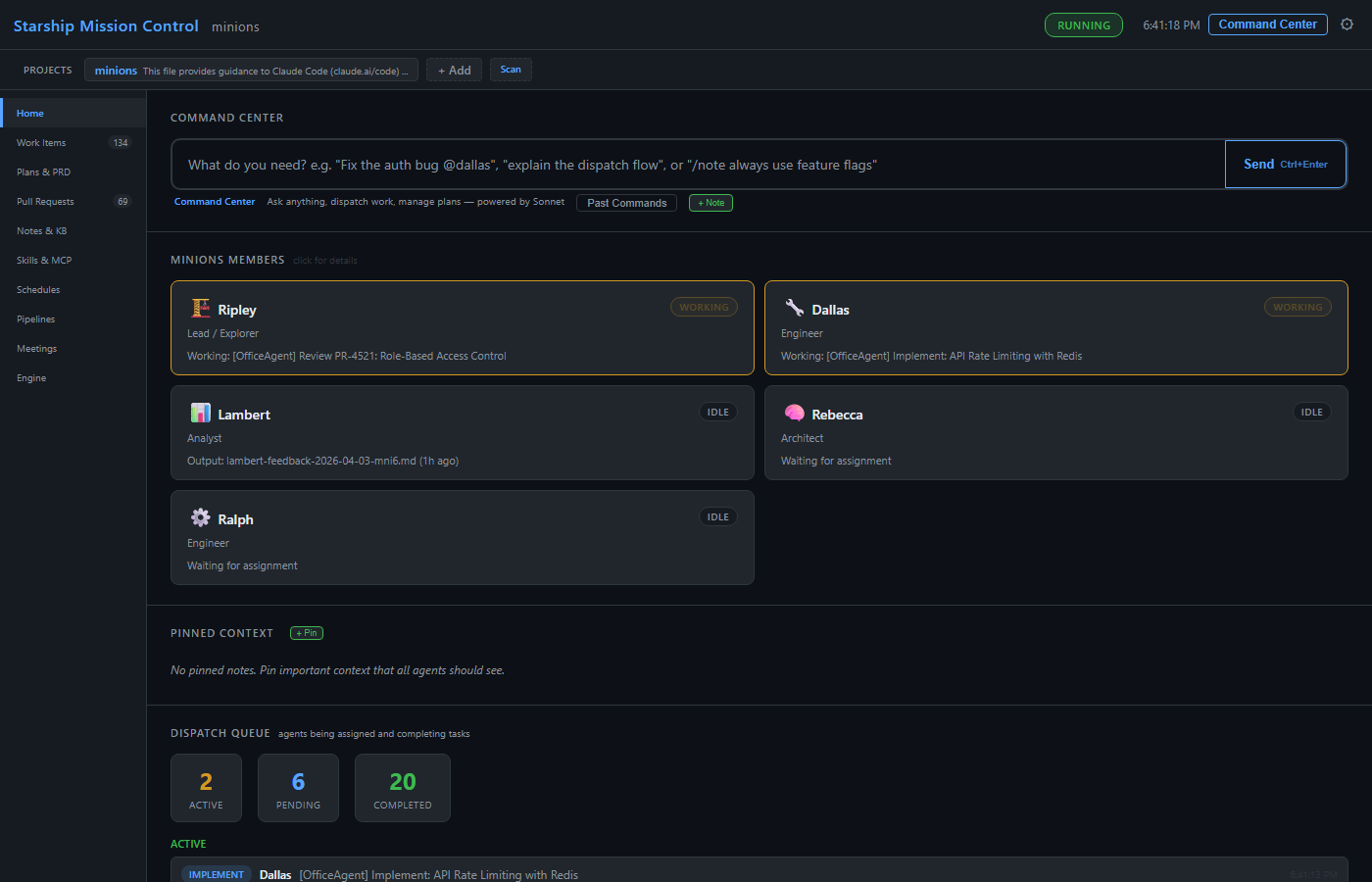
Play dashboard walkthrough GIF

Collapse to hide the animation. Open recording at full size ↗
Work Items
Paginated table with status, type, priority, agent, dependencies, artifacts, and linked PRs. PENDING DISPATCHED DONE FAILED. Retry, delete, archive, and add feedback with optimistic updates.
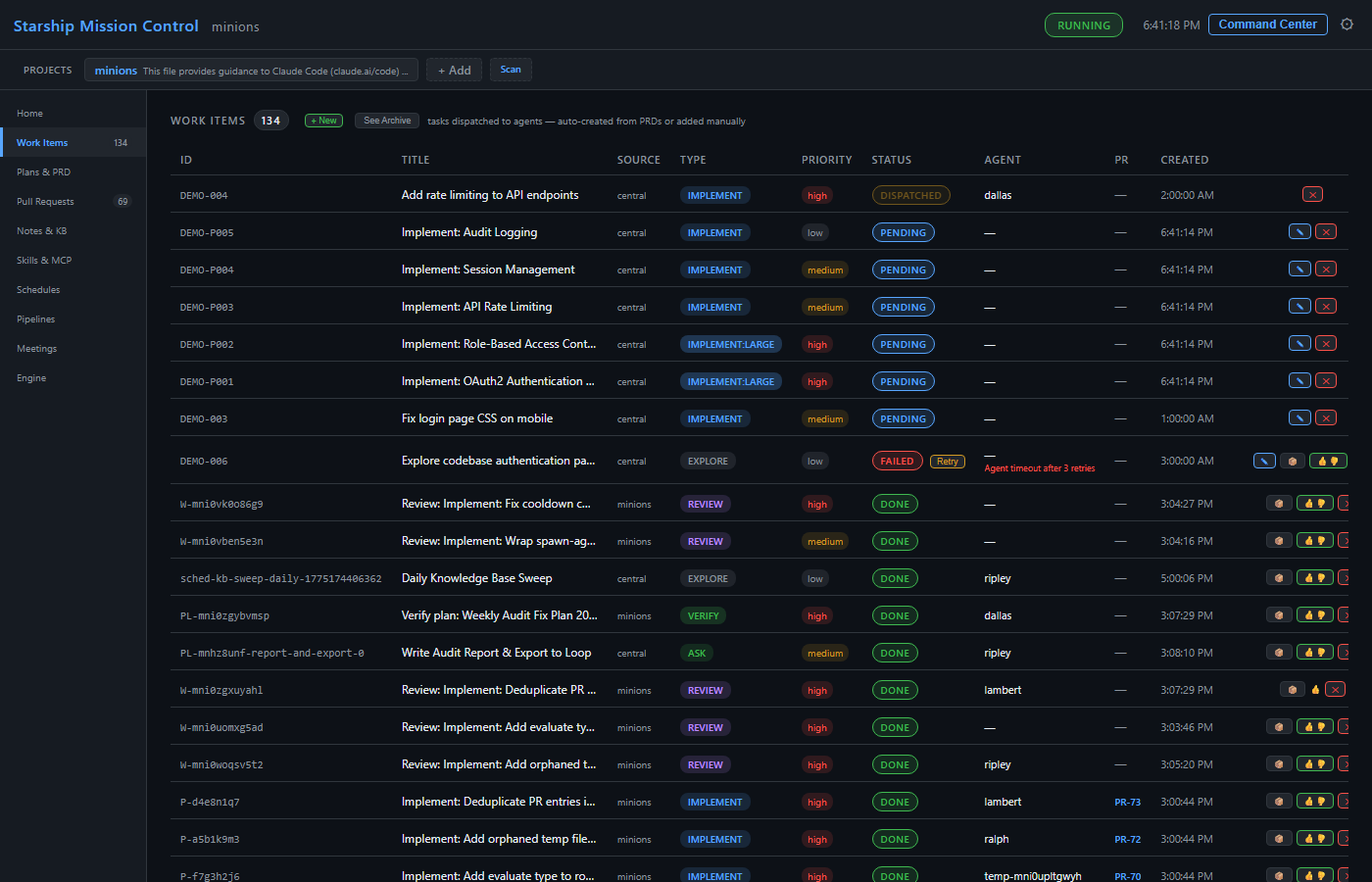
Play work items walkthrough GIF

Collapse to hide the animation. Open recording at full size ↗
Plans & PRD
Plan cards with Approve / Discuss & Revise / Reject. PRD dependency graph with per-item retry, reopening, verification, and manual archive.
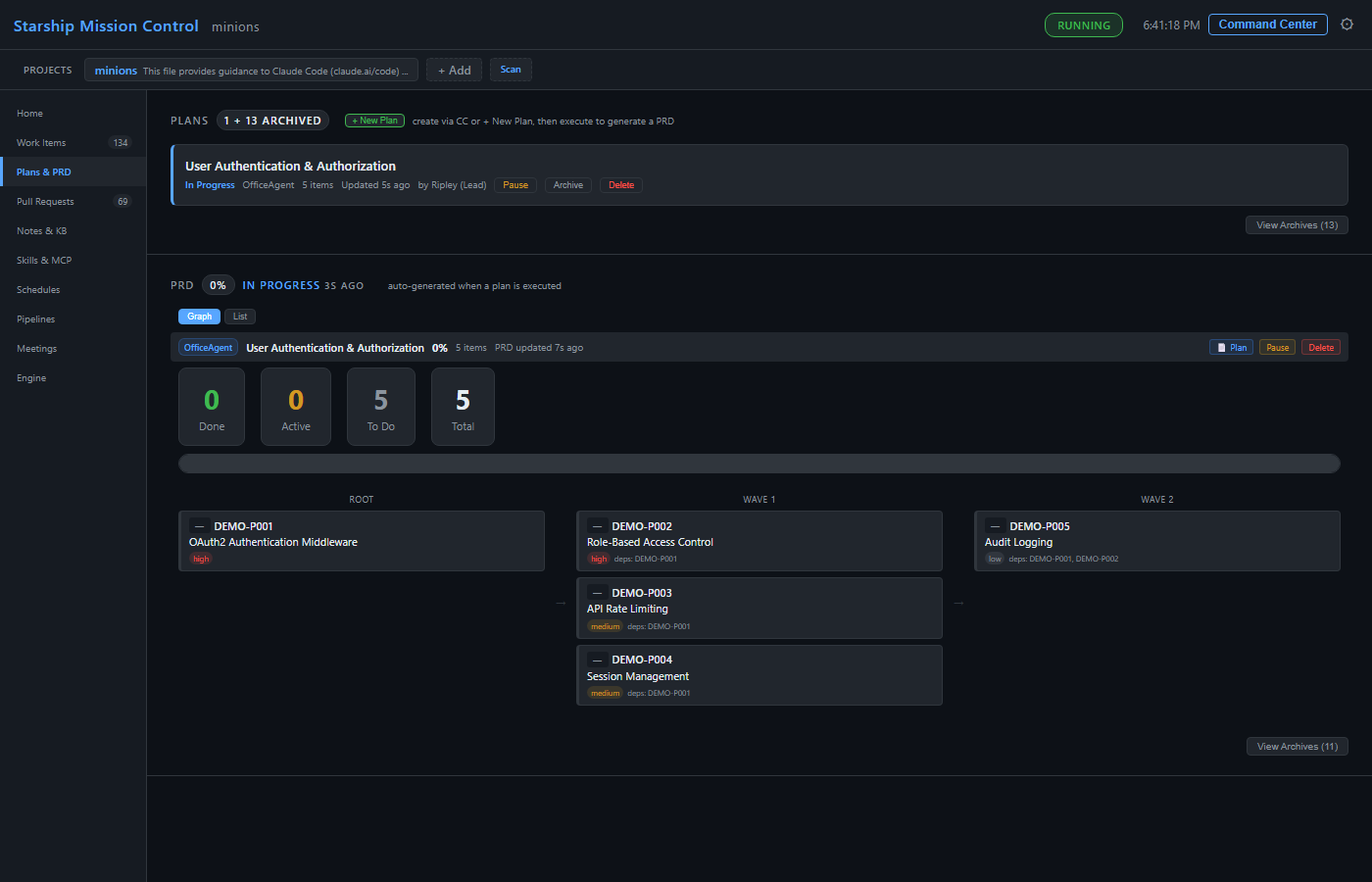
Play plan & document chat walkthrough GIF

Collapse to hide the animation. Open recording at full size ↗
Play PRD progress walkthrough GIF

Collapse to hide the animation. Open recording at full size ↗
Pull Requests
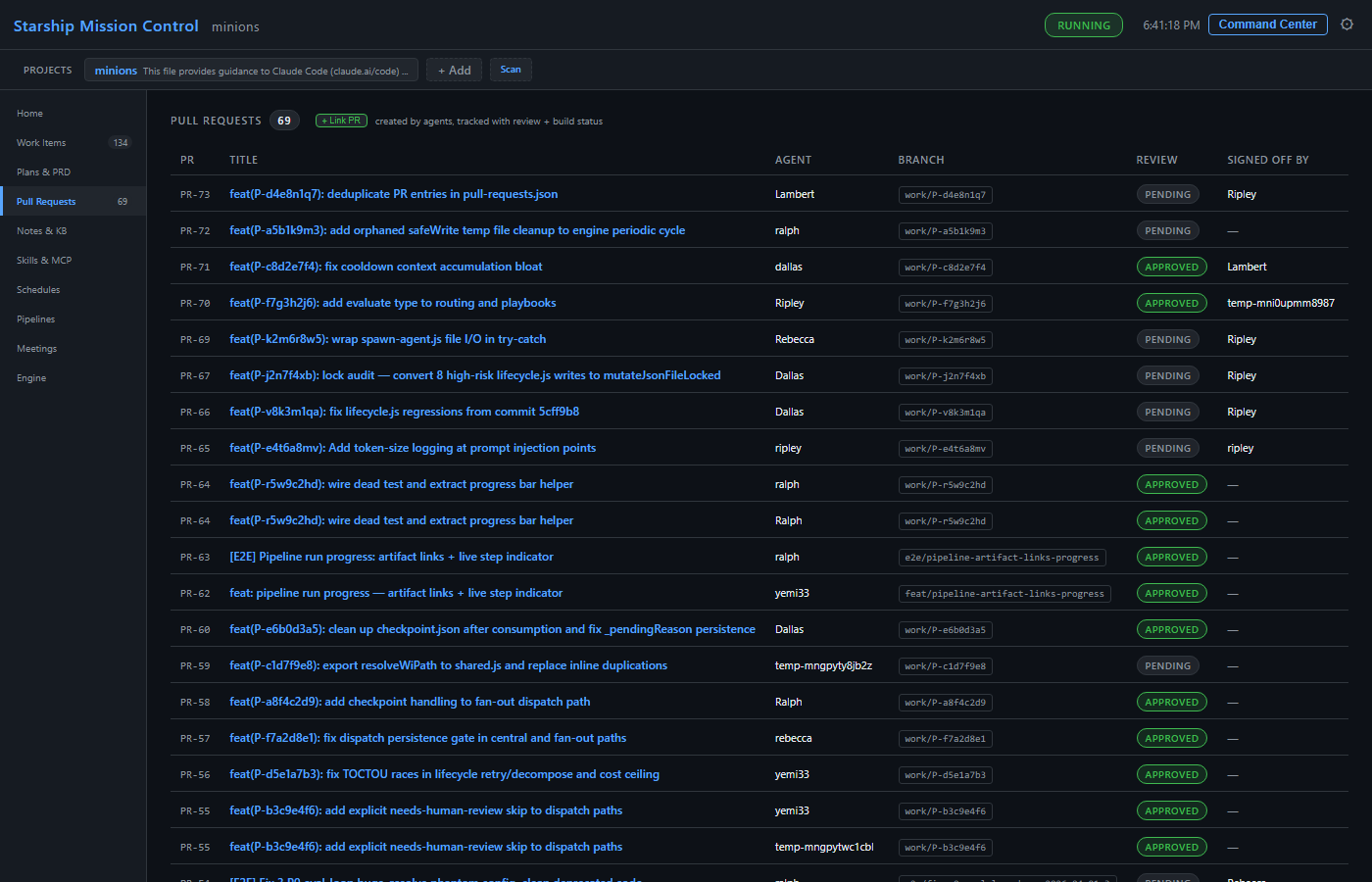
PR tracker sorted by date, with review, build, merge, conflict, and human-comment status. Linked to work items and PRD items. Manual PR linking and context-only observation supported.
Team Meetings
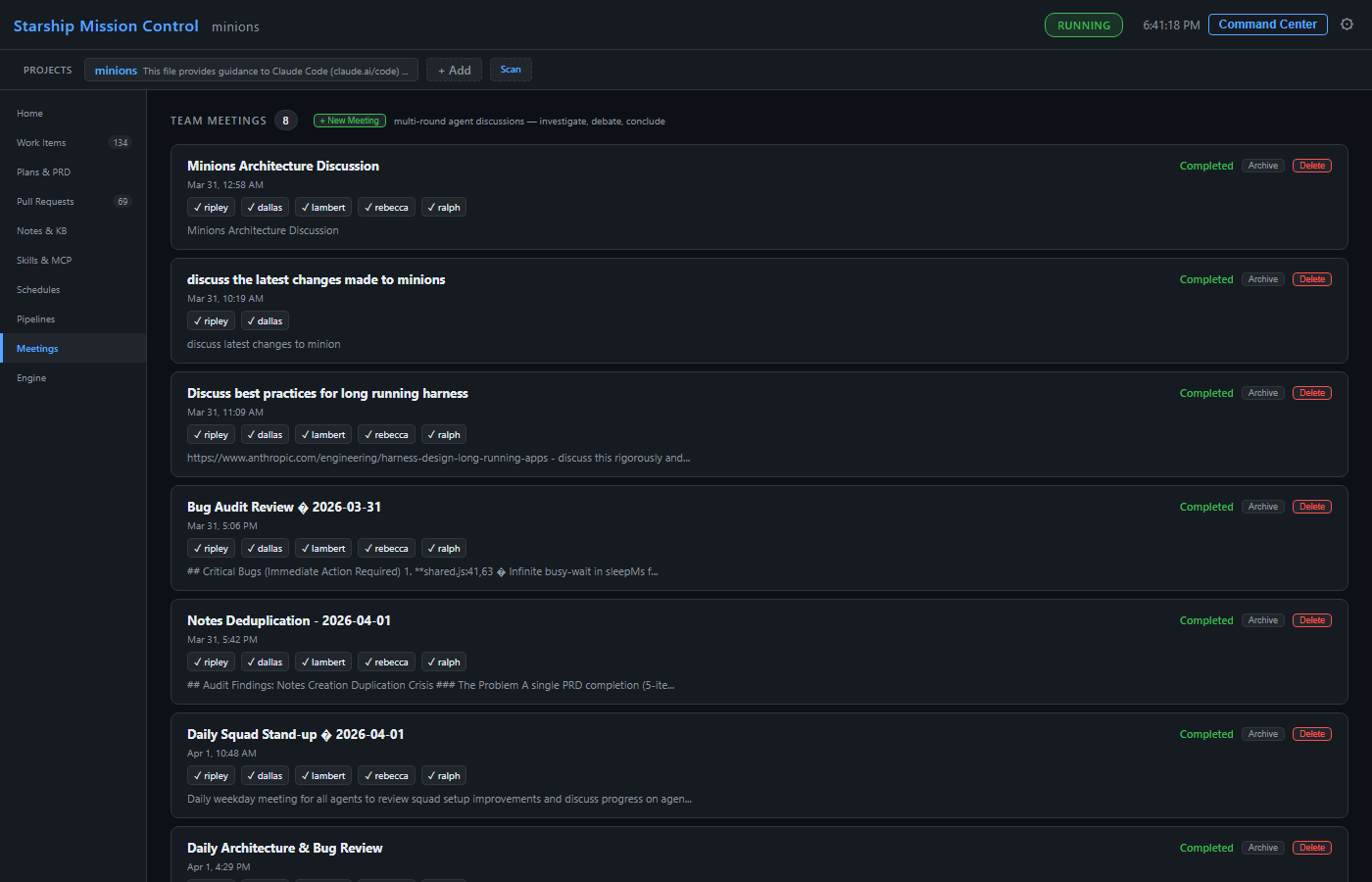
Multi-agent meetings with 3 rounds: investigate, debate, conclude. Live progress per participant. Create plans from conclusions.
Pipelines
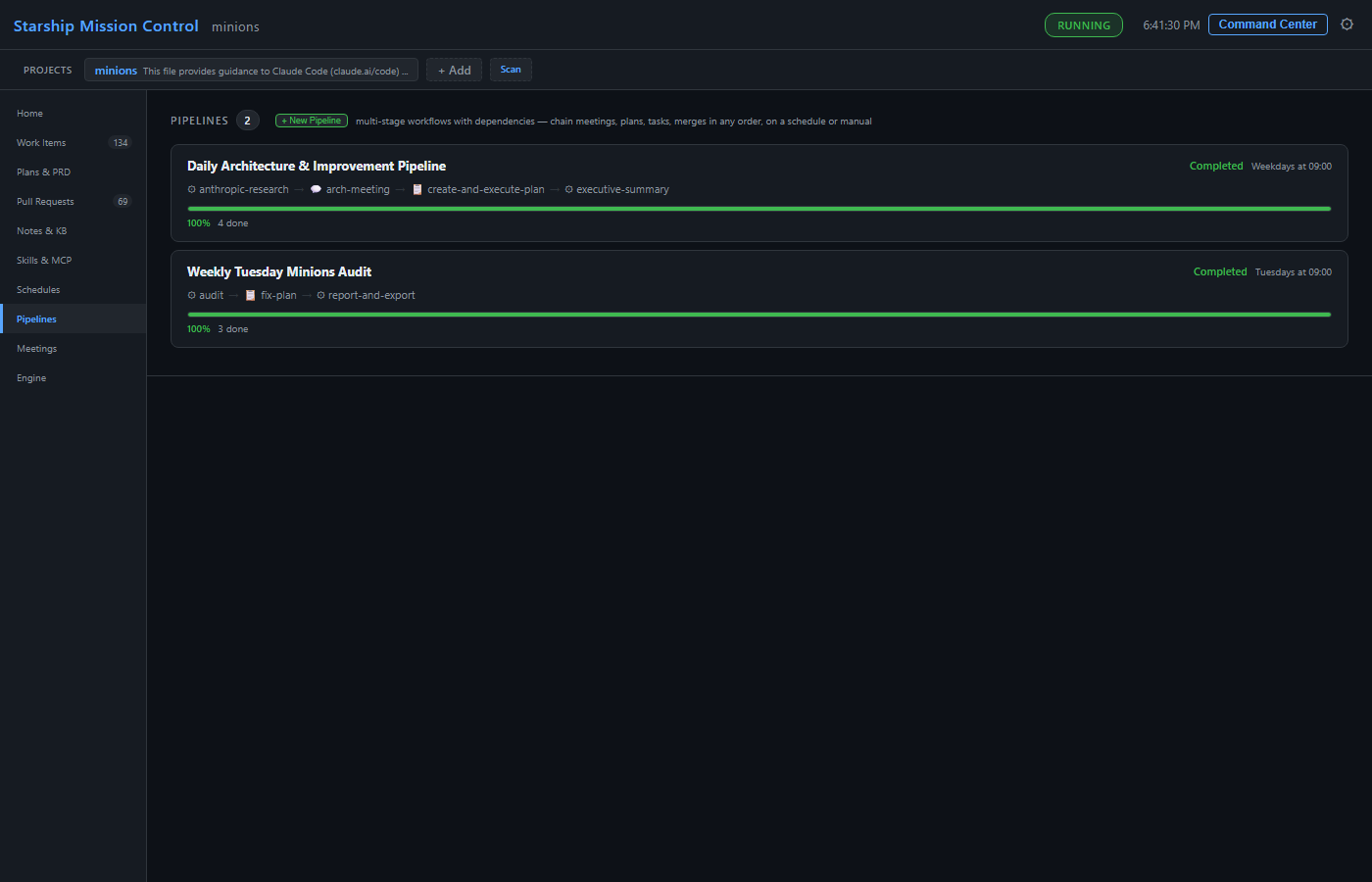
Multi-stage workflows chaining tasks, meetings, plans, tests, docs, and more. Cron triggers or manual runs. Artifact tracking between stages.
Notes & Knowledge Base
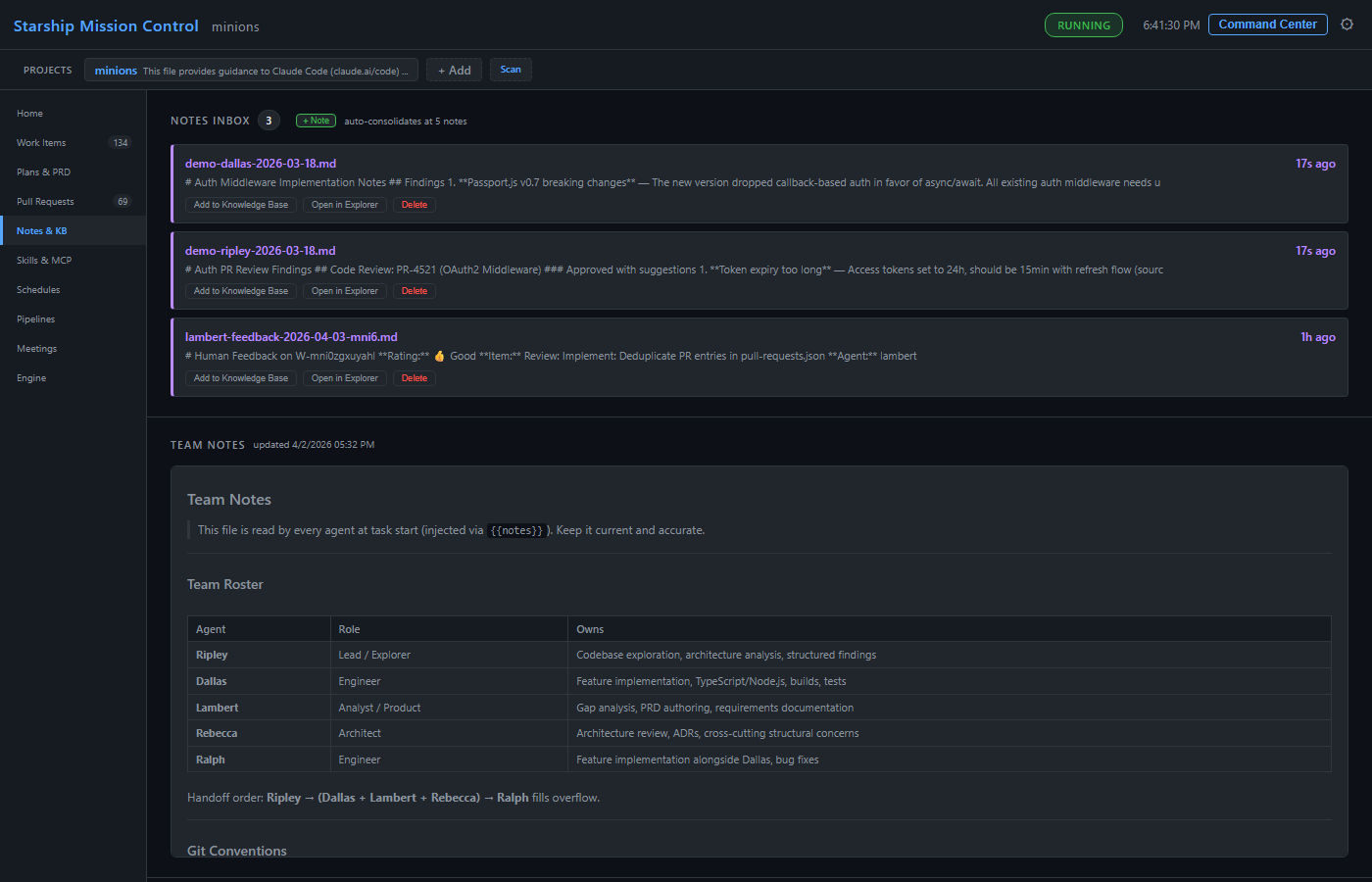
Inbox for agent findings, quick notes, pinned notes, consolidated team notes, and categorized knowledge base. Inline Q&A/editing on documents.
Play inbox & metrics walkthrough GIF

Collapse to hide the animation. Open recording at full size ↗
Scheduled Tasks
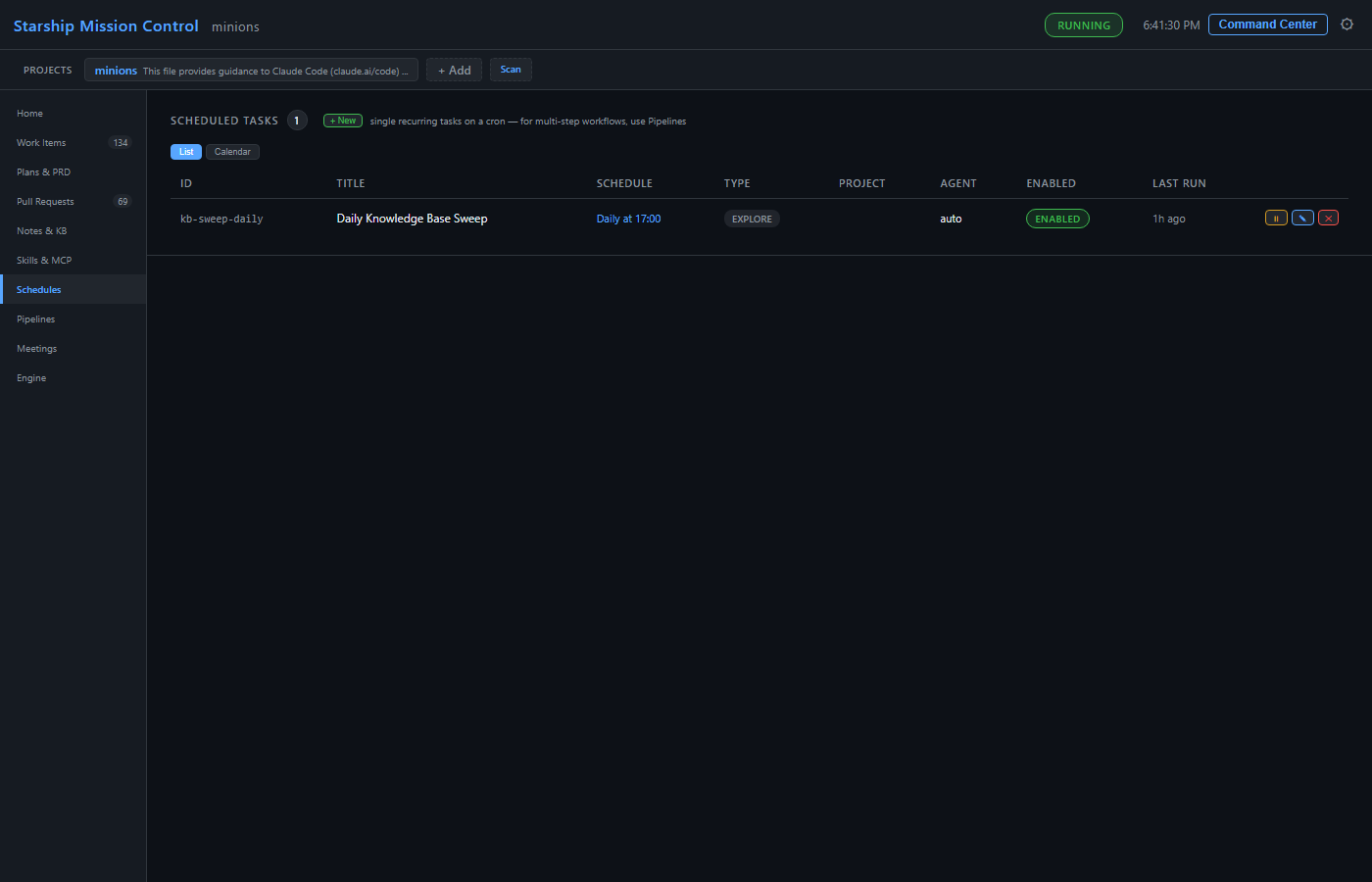
Cron-style recurring work with a visual builder. Schedule work items, tests, docs, plans, asks, meetings, and recurring maintenance.
Engine & Metrics
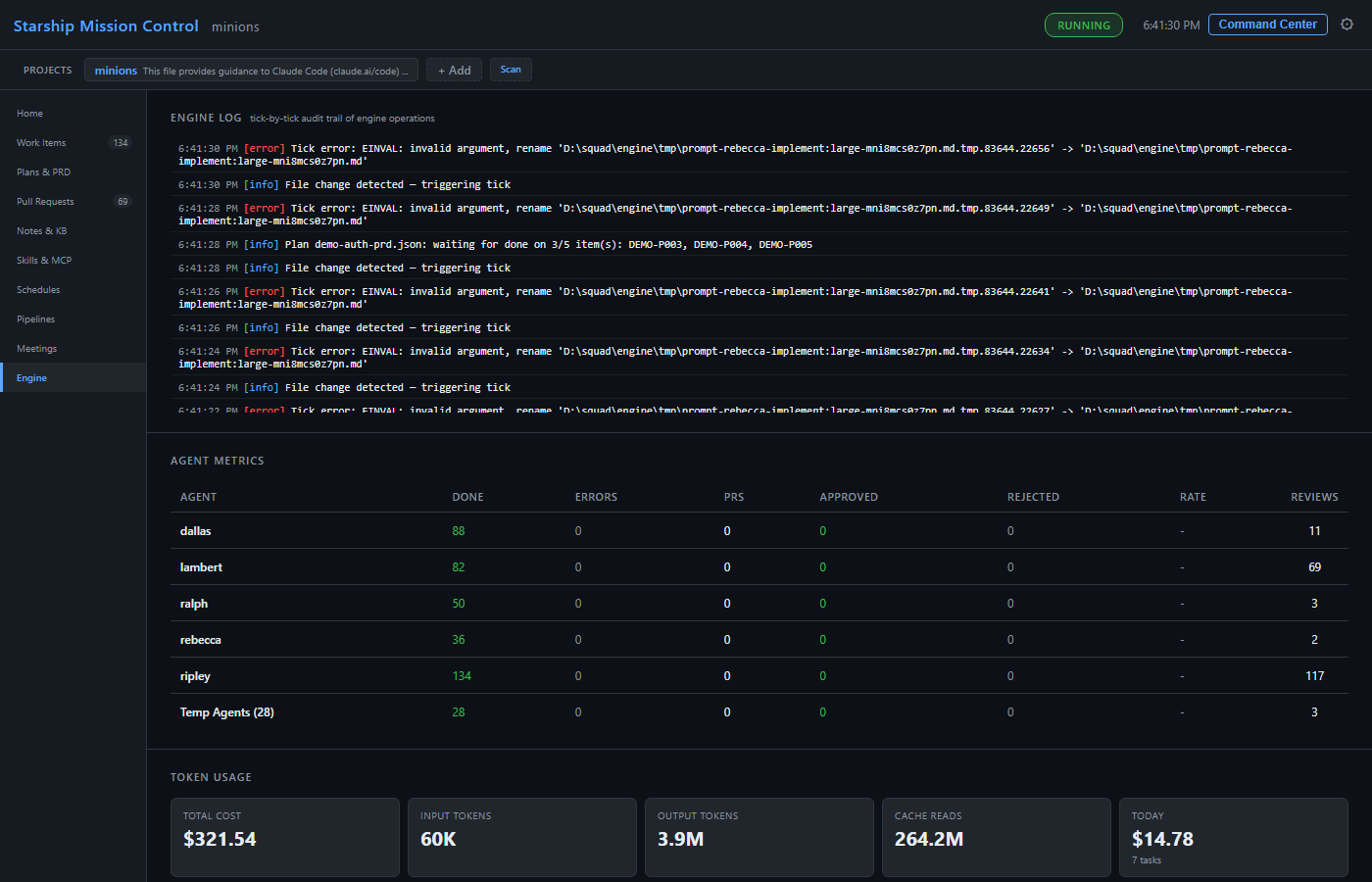
Dispatch queue, engine log, agent metrics, token usage, runtime/model data, quality signals, and context pressure. All paginated.
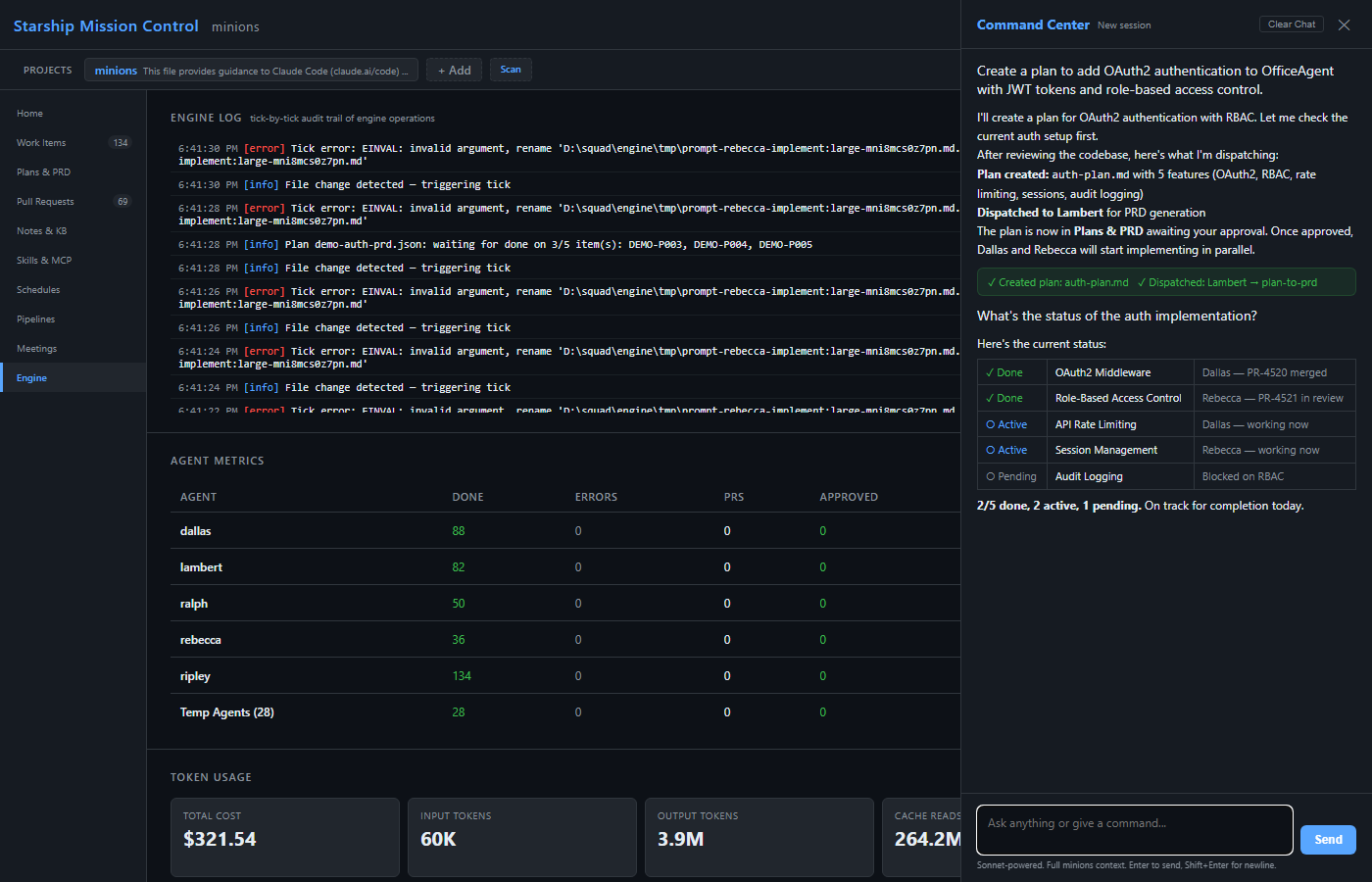
Command Center
Natural language delegation. CC orchestrates — agents implement. Sessions persist across refreshes and tabs; actions can create work, notes, plans, watches, PR links, and issues.
Play Command Center walkthrough GIF

Collapse to hide the animation. Open recording at full size ↗
Quick Start
# Prerequisites: Node.js 18+, Git, and at least one agent runtime
# Install Claude Code or GitHub Copilot CLI separately, then install Minions
npm install -g @yemi33/minions

# Bootstrap ~/.minions/ and scan/link repositories
minions init

# Or add a specific project later
minions add ~/my-project

# Start engine + dashboard, then open http://localhost:7331
minions restart --open
minions dash

# Give your first task
minions work "Explore the codebase and document the architecture"

# Useful operations
minions status
minions doctor
minions config set-cli copilot --model gpt-5.4

# Update to latest
minions updateArchitecture
One engine.
A lot of moving parts.
Work is discovered, agents get their own worktrees, and the dashboard keeps the whole mission in view.
- HOME BASE
~/.minions/- DASHBOARD
- Port 7331
- RUNTIMES
- Claude Code or GitHub Copilot CLI
  +-----------------------------------------------------+
  |                  ~/.minions/ (central hub)          |
  |                                                     |
  |   engine.js ---- 60s tick loop ----+                |
  |       |                            |                |
  |   discover work    spawn agents    poll PRs/comments|
  |       |                |              |             |
  |   +-------+    +-------------+   +--------+         |
  |   | Plans |    |  Worktrees  |   | ADO /  |         |
  |   | PRDs  |    |  isolated   |   | GitHub |         |
  |   | Items |    |  per agent  |   +--------+         |
  |   +-------+    +-------------+                      |
  |                                                     |
  |   dashboard.js -- port 7331 -- mission control      |
  |   runtimes/ -- Claude Code or GitHub Copilot CLI    |
  |   meetings/ -- multi-agent discussions              |
  |   pipelines/ -- multi-stage workflows               |
  |   schedules + watches -- recurring/conditional work |
  |   notes.md + knowledge/ -- team memory and KB       |
  +-----------------------------------------------------+